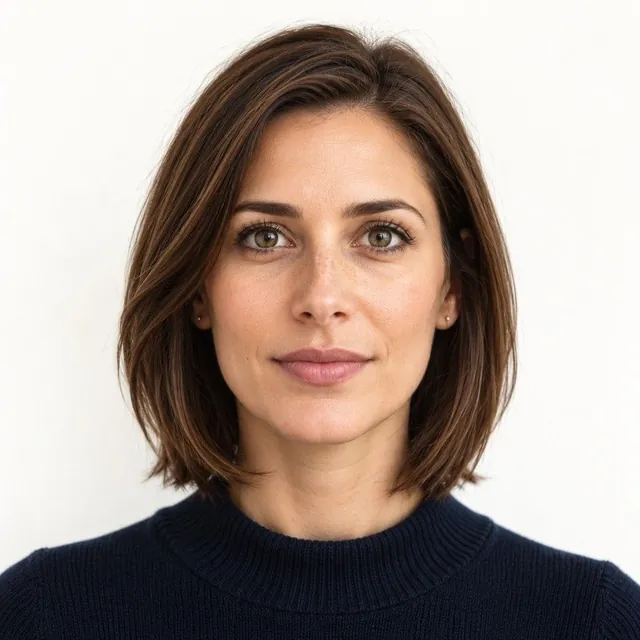
DS-160 photo: size, rules and passing the upload
The DS-160 asks for a digital photo: a square JPEG between 600 × 600 and 1200 × 1200 pixels, 240 KB or less, in colour. Your head should fill 50–69% of the height, with your eyes 56–69% up from the bottom, on a plain white or off-white background, without glasses, taken in the last 6 months.
The file rules
- JPEG format
- Square: at least 600 × 600 and at most 1200 × 1200 pixels
- 240 KB or less
- 24-bit colour (sRGB)
- Not digitally altered
The photo rules
- Head (chin to top of hair) 50–69% of the image height
- Eyes 56–69% of the height, measured from the bottom
- Plain white or off-white background
- Face the camera, neutral expression, both eyes open
- No glasses, unless for medical reasons
- Religious head coverings only if worn daily, face fully visible
- No uniforms, no headphones
- Taken in the last 6 months
Why uploads fail
The DS-160 checks your photo when you upload it. Most failures come from a file that is too big (over 240 KB), not square, or too small, or from a head that is too small in the frame because the photo was not cropped.
Don’t resize a phone photo by squeezing it: crop it square around your head first, then resize.
If the upload still fails
-
Check the file, not just the photo
It must be a JPEG (renaming a PNG or HEIC file to .jpg does not convert it), square, between 600 × 600 and 1200 × 1200 pixels, and 240 KB or less.
-
Check the head size
If the photo was not cropped, the head is often too small. The head should fill 50–69% of the height, with the eyes 56–69% up from the bottom.
-
Don’t edit it to pass
Brightening, smoothing or replacing the background makes it a digitally altered photo, which is not allowed. Retake it in better light instead.
-
Bring a printed photo
If the upload still fails, bring one printed 2 × 2 photo to your interview.
Get a file that passes
We crop and size your photo to 600 × 600 pixels, keep it under 240 KB, and check the head size, eye line, background and other rules before you pay. Some embassies also ask for a printed photo at the interview; you can print the same file at any photo counter.
Already have a photo? Check it free with the passport photo checker. Every rule in one place: passport photo requirements.
Questions
Can I use my passport photo for the DS-160?
Often, if it is recent and you have a digital file that meets the size rules. A scanned print usually fails the quality check.
What if the DS-160 photo upload keeps failing?
Check the file is a square JPEG, 600–1200 px, under 240 KB, and that your head fills enough of the frame. If a photo from us still fails, email support and we’ll fix it.
Do I need glasses off for a US visa photo?
Yes, unless you can’t remove them for medical reasons.
Sources: Photo requirements - U.S. Visas , Digital image requirements . Checked Oct 4, 2026. How we keep rules accurate