
 2"×2" Rules verified Sep 30, 2026
Baby passport photo at home: infant and newborn rules
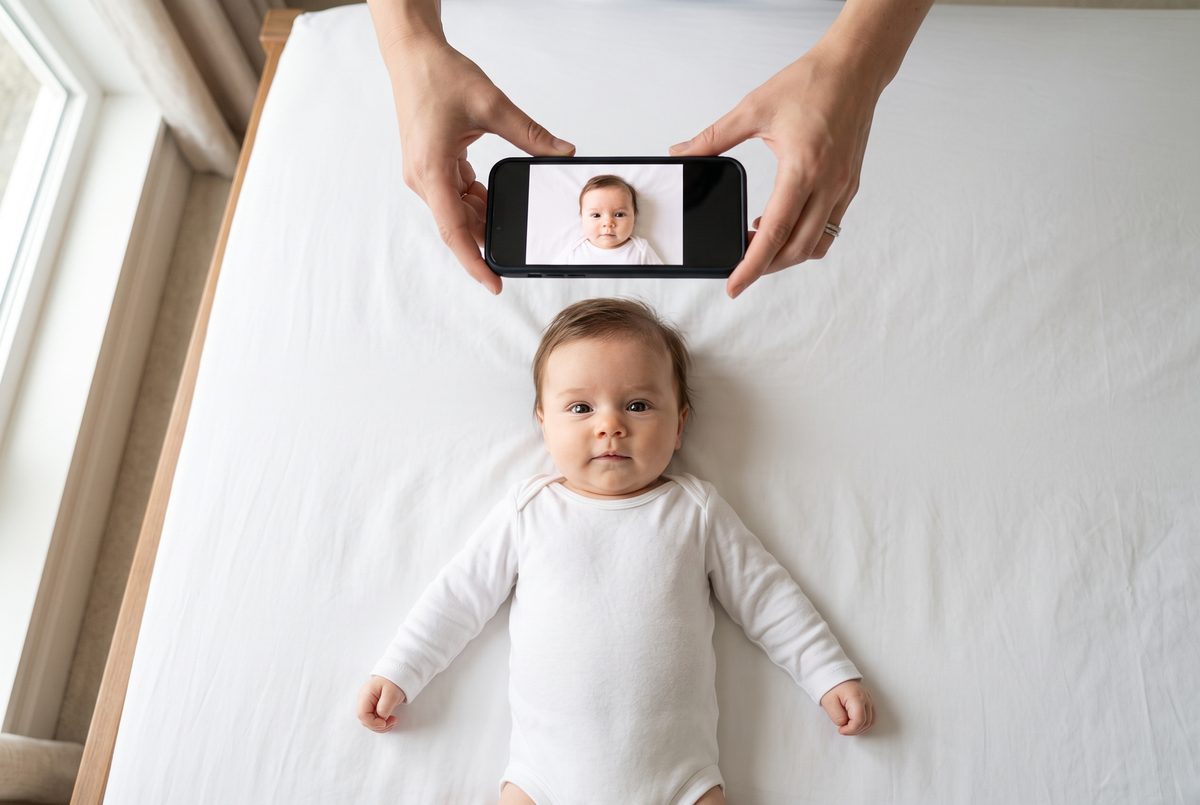
A baby’s US passport photo follows the adult rules (2 × 2 inches, plain white or off-white background, full face visible) with two exceptions: the eyes may be partly or fully closed, and the baby can lie down. Lay your baby on a plain white sheet, shoot from above, and keep hands and toys out of the picture.
- Cropped to size and checked against every official rule
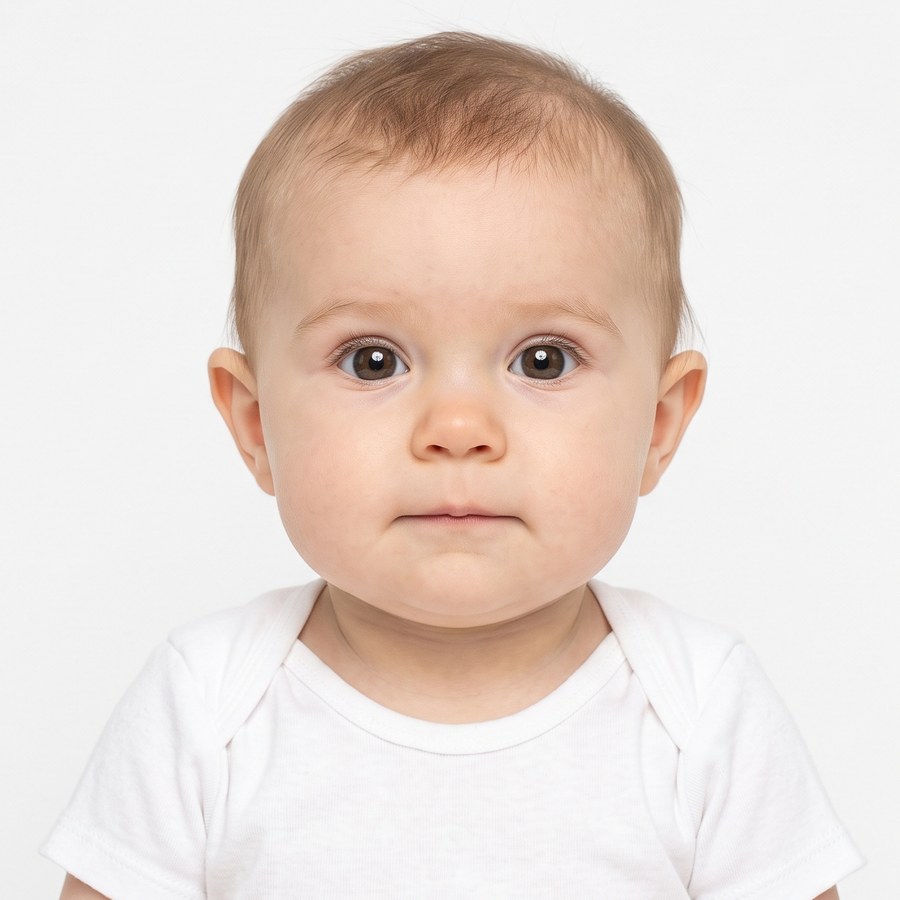 Top of head Chin 1 – 1 3/8 in
US passport photo requirements
The official rules at a glance. We check each of them on your photo.
| Photo size | 2 × 2 inches (51 × 51 mm), printed |
|---|---|
| Head size | 1 to 1 3/8 in (25–35 mm), chin to top of head |
| Background | Plain white or off-white, no shadows, texture or objects |
| Colour, on matte or glossy photo paper | |
| Glasses | Not allowed, unless medically needed (signed statement) |
| Expression | Neutral or a natural closed-mouth smile, both eyes open |
| Head covering | Religious or medical only, with a signed statement; one colour, full face visible |
| Taken | In the last 6 months |
Verified against Passport photos - travel.state.gov on Sep 30, 2026.
What PassportOwl does
A photo booth in your pocket, with the official rules built in.
An owl coach while you shoot
Live tips on distance, light and head position, then the photo takes itself when everything lines up.
Every official rule checked
Background, head size, eye line, shadows, glasses and expression, measured against the government’s own numbers.
The exact file, ready to use
Cropped to the official size, plus a 4×6 sheet to print at a store when the document needs prints, or prints mailed to you.
How to take it at home
About two minutes, with your phone or computer.
-
Lay your baby on a white sheet
A plain white or off-white sheet on a bed or the floor, no pattern, no wrinkles near the head. A covered car seat works too.
-
Light from a window
Daylight from the side of the room, not a flash. Make sure your own shadow doesn’t fall on the baby.
-
Shoot from straight above
Hold the phone parallel to the baby’s face. Baby mode switches to the back camera and guides you.
-
We check every rule
We crop to 2 × 2 inches and check the background, head size and that no hands or other people are visible. Retakes are free.
-
Print or get it mailed
Download the photo and the 4×6 sheet to print at a store for under $1, or have 4 prints mailed to you.
Good and bad photo examples
20 common reasons a baby passport photo gets rejected. Tap any example to see why.
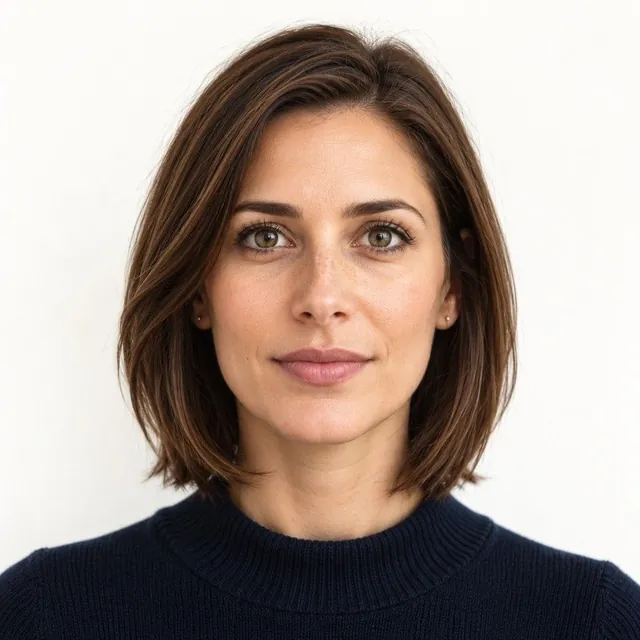
A good photo
Sharp and in color, with even light and no shadows. The head is straight, facing the camera and the right size, on a plain white or off-white background.
How to fix:
 We check this on your photo:
Example photos, generated; not real people.
What gets a photo rejected
Officials check these. Most rejected photos break one of them.
- Colour, sharp, not grainy or pixelated
- Printed on matte or glossy photo paper; no photocopies or scans
- Face the camera, head not tilted
- Both eyes open, mouth closed
- No filters, retouching or AI edits
- No red eye
- Even lighting, no shadows on the face
- No uniforms or camouflage; no headphones
- Infants: on a plain white or off-white sheet, no other person visible; eyes may be closed
Newborn passport photo
Newborns need a passport photo too, and the same rules apply, with two exceptions for infants: the eyes may be partly or fully closed, and the baby can lie down. Nothing may be in the photo but the baby: no hands, no other people, no pacifier, toy or blanket over the chin.
The State Department’s children’s photo guide shows accepted and rejected examples.
Tips that work
These are tips from parents and photographers, not rules:
- Lay the baby on a plain white sheet on the floor or a bed, or cover a car seat or high chair with the sheet
- Put a rolled towel under the sheet to support the neck, so the face points straight up at the camera
- Ask a second adult to keep the baby calm and their hands out of the picture
- Shoot from straight above in soft daylight, standing so your shadow doesn’t fall on the baby
- Take many shots and keep the best one; just after a feed or a nap often works
- Going to a store? Bring your own white sheet in case they have nothing suitable for a baby
Price
You see the result first and pay only when it passes. No subscription.
Digital photo
$11.99
The photo file plus a 4×6 sheet to print at a store
- Retakes free for 60 days
- Accepted or your money back, for photo reasons.
Digital + 4 prints mailed
$16.95
Everything in Digital, and we mail 4 printed photos to you
Choose with printsMade for
Your photo stays private
- No account needed
- Photos deleted 72 hours after upload
- Never used to train AI, never sold
- Payments handled by Stripe; we never see your card number
- An independent service, not affiliated with any government agency
Questions
Do babies need a passport photo?
Yes. Every US passport applicant, including newborns, needs a photo that meets the rules.
Can my baby’s eyes be closed?
For babies, yes. The State Department allows partly or fully closed eyes for infants. Older children need open eyes.
Can I hold my baby for the photo?
No hands or other people may be visible. Lay the baby on a white sheet, or use a car seat covered with a plain white sheet.
Does a pacifier have to come out?
Yes. Nothing may cover the face: no pacifier, bottle, toy or blanket over the chin.
Can the baby wear a hat?
No, unless it is worn for religious or medical reasons, with a signed statement.
What if the photo is rejected?
If a passport office rejects it for a photo-compliance reason, we refund you in full and make you a new photo free.
How long does it take?
About two minutes to take the photo. The check takes a few seconds, and your file is ready to download as soon as you pay.
Do I pay before I see the photo?
No. You take the photo, we check it, and you see the result first. You pay only once it passes.
Can I retake the photo later?
Yes. Retakes are free for 60 days after you buy, from the link in your receipt.
Can I use my computer instead of my phone?
Yes. Use your webcam, upload a photo you already have, or scan the code to continue on your phone.
What happens to my photo?
It is deleted 72 hours after you upload it, together with every file made from it. It is never used to train AI and never sold.
Do you retouch or edit my photo?
Never. Passport and visa photos must not be edited: no filters, beauty modes, smoothing, background removal or AI changes, and an edited photo can be rejected. We only crop and size your original photo to the official measurements; we never retouch it.
How can I pay?
With a card, Apple Pay or Google Pay, through Stripe. We never see your card number.
Is PassportOwl a government website?
No. PassportOwl is an independent service, not affiliated with the U.S. Department of State or any government agency. You submit the photo with your application yourself.
Guides
Other US photos
Ready in about two minutes
See the result for free. Pay only when it passes.
Get my photo