
%22%20d%3D%22m0%200%2016%2011h61%2061%2061%2061%2060L47%2037h61%2061%2060%2061L16%2063h61%2061%2061%2061%2060L47%2089h61%2061%2060%2061L16%20115h61%2061%2061%2061%2060L47%20141h61%2061%2060%2061L16%20166h61%2061%2061%2061%2060L47%20192h61%2061%2060%2061L16%20218h61%2061%2061%2061%2060z%22%2F%3E%0A%3C%2Fsvg%3E%0A) 1200×1200 px Rules verified Sep 30, 2026
1200×1200 px Rules verified Sep 30, 2026 Online passport renewal photo: file rules and free checker
To renew a US passport online you upload a digital photo: a JPG, PNG, HEIC or HEIF file between 54 KB and 10 MB, in colour, taken in the last 6 months, with a plain white or off-white background. It must be the original photo, not a scan of a print. We make and check the file.
Phone camera, webcam, or upload a photo you already have
- Cropped to size and checked against every official rule
- Pay only once it passes · Digital $11.99
- Accepted or your money back, for photo reasons. Terms
 Top of head Chin 49–69% of height
 US online passport renewal photo requirements
The official rules at a glance. We check each of them on your photo.
| Photo size | No pixel size required; we give you 1200 × 1200 px |
|---|---|
| Head size | 49%–69% of the photo height, chin to top of head |
| Background | Plain white or off-white, no shadows, texture or objects |
| File | JPEG, PNG, HEIC, HEIF, 54 KB to 10 MB |
| Glasses | Not allowed, unless medically needed (signed statement) |
| Expression | Neutral or a natural closed-mouth smile, both eyes open |
| Head covering | Religious or medical only; one colour, full face visible |
| Taken | In the last 6 months |
Verified against Uploading a digital photo - travel.state.gov on Sep 30, 2026.
What PassportOwl does
A photo booth in your pocket, with the official rules built in.
An owl coach while you shoot
Live tips on distance, light and head position, then the photo takes itself when everything lines up.
Every official rule checked
Background, head size, eye line, shadows, glasses and expression, measured against the government’s own numbers.
The exact file, ready to use
Cropped to the official size, plus a 4×6 sheet to print at a store when the document needs prints, or prints mailed to you.
How to take it at home
About two minutes, with your phone or computer.
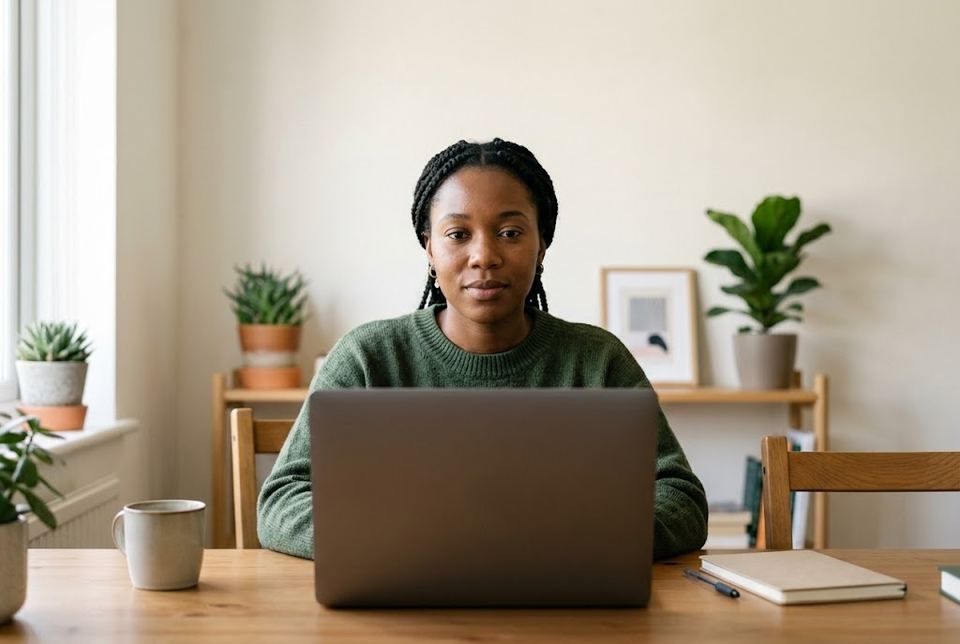
-
Stand in front of a plain wall
White or off-white, with even light from a window in front of you. A white sheet works if your wall is coloured.
-
Let the owl coach you
Your phone or webcam checks distance, tilt, light and expression live, then takes the photo when everything is green. Someone else can hold the phone (helper mode).
-
We check every rule
We crop it to the official size and check it against each online renewal rule. If something fails, you see why and retake it, free.
-
Pay only when it passes
Download the file right away. You see the result before you pay.
-
Upload it to the renewal form
Save the file to your phone or computer and upload it when the online renewal form asks for your photo.
What gets a photo rejected
Officials check these. Most rejected photos break one of them.
- JPG, PNG, HEIC or HEIF, 54 KB to 10 MB
- Colour; head centred, frame ends at the shoulders
- Face the camera, both eyes open, avoid showing teeth
- No filters, retouching or AI edits
- Don't photograph or scan a printed photo
Price
You see the result first and pay only when it passes. No subscription.
Digital photo
$11.99
The file the form accepts, ready to upload
- Retakes free for 60 days
- Accepted or your money back, for photo reasons.
Made for
Your photo stays private
- No account needed
- Photos deleted 72 hours after upload
- Never used to train AI, never sold
- Payments handled by Stripe; we never see your card number
- An independent service, not affiliated with any government agency
Questions
What size should the online renewal photo be?
The State Department gives a file size (54 KB to 10 MB) and formats, not pixel dimensions. We give you a square 1200 × 1200 px JPEG with your head sized like a 2×2 print.
Can I scan my old passport photo?
No. Photos of printed photos and scans are not accepted. Take a new one.
Can I show my teeth?
Avoid it. The guidance asks for a natural expression with both eyes open, and a closed mouth is safest.
Can I wear glasses?
No, unless you can’t remove them for medical reasons and have a signed doctor’s statement.
Do I also need a printed photo?
Not for online renewal. If you renew by mail with form DS-82, you need a printed 2×2 photo instead.
What if the photo is rejected?
If the passport office rejects it for a photo-compliance reason, we refund you in full and make you a new photo free.
How long does it take?
About two minutes to take the photo. The check takes a few seconds, and your file is ready to download as soon as you pay.
Do I pay before I see the photo?
No. You take the photo, we check it, and you see the result first. You pay only once it passes.
Can I retake the photo later?
Yes. Retakes are free for 60 days after you buy, from the link in your receipt.
Can I use my computer instead of my phone?
Yes. Use your webcam, upload a photo you already have, or scan the code to continue on your phone.
What happens to my photo?
It is deleted 72 hours after you upload it, together with every file made from it. It is never used to train AI and never sold.
How can I pay?
With a card, Apple Pay or Google Pay, through Stripe. We never see your card number.
Is PassportOwl a government website?
No. PassportOwl is an independent service, not affiliated with the U.S. Department of State or any government agency. You submit the photo with your application yourself.
Guides
Other US photos
Ready in about two minutes
See the result for free. Pay only when it passes.
Take your photo