
%22%20d%3D%22m0%200%2016%2011h61%2061%2061%2061%2060L47%2037h61%2061%2060%2061L16%2063h61%2061%2061%2061%2060L47%2089h61%2061%2060%2061L16%20115h61%2061%2061%2061%2060L47%20141h61%2061%2060%2061L16%20166h61%2061%2061%2061%2060L47%20192h61%2061%2060%2061L16%20218h61%2061%2061%2061%2060z%22%2F%3E%0A%3C%2Fsvg%3E%0A) 600×600 px Rules verified Sep 30, 2026
600×600 px Rules verified Sep 30, 2026 US visa photo (DS-160): size, rules and free checker
The DS-160 visa photo is a square JPEG, 600 × 600 to 1200 × 1200 pixels, 240 KB or less. Your head fills 50–69% of the height and your eyes sit 56–69% up from the bottom. Plain white or off-white background, no glasses, taken in the last 6 months.
Phone camera, webcam, or upload a photo you already have
- Cropped to size and checked against every official rule
- Pay only once it passes · Digital $11.99
- Accepted or your money back, for photo reasons. Terms
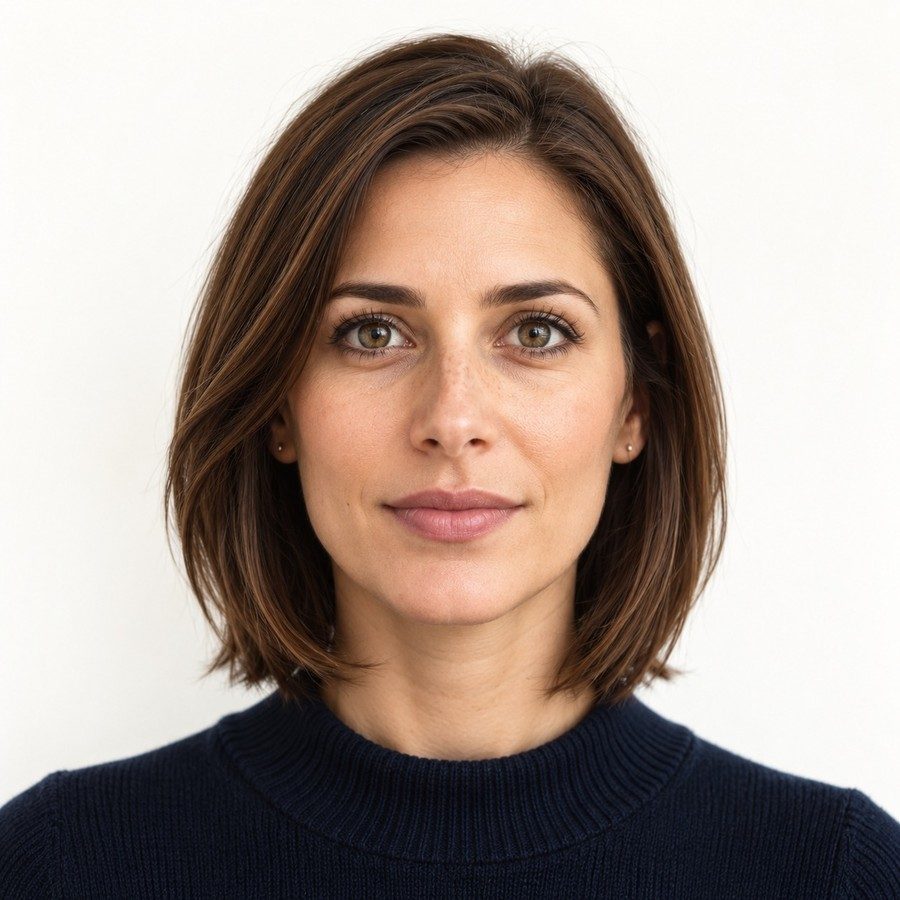 Top of head Chin 50–69% of height
 US visa (DS-160) photo requirements
The official rules at a glance. We check each of them on your photo.
| Photo size | 2 × 2 inches (51 × 51 mm), printed |
|---|---|
| Head size | 50%–69% of the photo height, chin to top of head |
| Eye line | 56%–69% of the height, measured from the bottom |
| Background | Plain white or off-white |
| File | JPEG, 240 KB or less |
| Colour, on matte or glossy photo paper | |
| Glasses | Not allowed, unless medically needed (signed statement) |
| Expression | Neutral, mouth closed, both eyes open |
| Head covering | Religious only, worn daily; must not cover the face or cast shadows |
| Taken | In the last 6 months |
Verified against Photo requirements - U.S. Visas , Digital image requirements , Photo composition template , Visitor visa - travel.state.gov on Sep 30, 2026.
What PassportOwl does
A photo booth in your pocket, with the official rules built in.
An owl coach while you shoot
Live tips on distance, light and head position, then the photo takes itself when everything lines up.
Every official rule checked
Background, head size, eye line, shadows, glasses and expression, measured against the government’s own numbers.
The exact file, ready to use
Cropped to the official size, plus a 4×6 sheet to print at a store when the document needs prints, or prints mailed to you.
How to take it at home
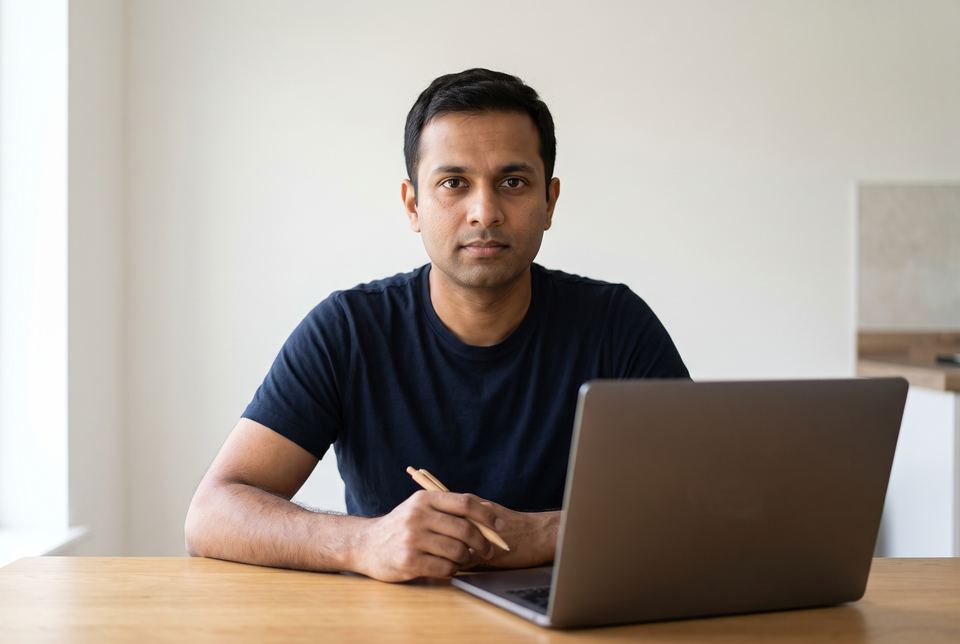
About two minutes, with your phone or computer.
-
Stand in front of a plain wall
White or off-white, with even light from a window in front of you. A white sheet works if your wall is coloured.
-
Let the owl coach you
Your phone or webcam checks distance, tilt, light and expression live, then takes the photo when everything is green. Someone else can hold the phone (helper mode).
-
We check every rule
We crop it to the official size and check it against each DS-160 rule. If something fails, you see why and retake it, free.
-
Pay only when it passes
Download the file right away. You see the result before you pay.
-
Upload it to the DS-160
You get a 600 × 600 px JPEG under 240 KB, ready for the photo step of the online form, plus a 4×6 sheet in case you need a print for the interview.
What gets a photo rejected
Officials check these. Most rejected photos break one of them.
- JPEG, square, 600x600 to 1200x1200 px, 240 KB or less
- 24-bit colour, sRGB
- Full face, both eyes open
- Not digitally altered
- No uniforms; no headphones
Price
You see the result first and pay only when it passes. No subscription.
Digital photo
$11.99
The photo file plus a 4×6 sheet to print at a store
- Retakes free for 60 days
- Accepted or your money back, for photo reasons.
Digital + 4 prints mailed
$16.95
Everything in Digital, and we mail 4 printed photos to you
At a store, for comparison
- Walgreens $16.99
- CVS $17.99
- USPS $15.00
- Walmart $7.64
From each store's website; prices vary by store. Checked Oct 4, 2026.
Made for
Your photo stays private
- No account needed
- Photos deleted 72 hours after upload
- Never used to train AI, never sold
- Payments handled by Stripe; we never see your card number
- An independent service, not affiliated with any government agency
Questions
What size is a US visa photo in pixels?
Square, at least 600 × 600 and at most 1200 × 1200 pixels, JPEG, 240 KB or less. We give you 600 × 600.
Can I use my passport photo for a US visa?
Often yes, if it is recent and meets the same rules, but the DS-160 needs a digital file. We make the exact file it accepts.
Are glasses allowed?
No, unless you can’t remove them for medical reasons.
What if the DS-160 photo upload fails?
The form checks size and format. Our file already meets them. If the online check still refuses it, email support and we’ll sort it out.
Do I need a printed photo too?
If the DS-160 photo upload fails, you must bring one printed 2×2 photo to your interview, and some embassies ask for one anyway. You also get a 4×6 sheet to print at any photo counter, or we can mail you 4 prints.
What if the photo is rejected?
If the embassy or consulate rejects it for a photo-compliance reason, we refund you in full and make you a new photo free.
How long does it take?
About two minutes to take the photo. The check takes a few seconds, and your file is ready to download as soon as you pay.
Do I pay before I see the photo?
No. You take the photo, we check it, and you see the result first. You pay only once it passes.
Can I retake the photo later?
Yes. Retakes are free for 60 days after you buy, from the link in your receipt.
Can I use my computer instead of my phone?
Yes. Use your webcam, upload a photo you already have, or scan the code to continue on your phone.
What happens to my photo?
It is deleted 72 hours after you upload it, together with every file made from it. It is never used to train AI and never sold.
How can I pay?
With a card, Apple Pay or Google Pay, through Stripe. We never see your card number.
Is PassportOwl a government website?
No. PassportOwl is an independent service, not affiliated with the U.S. Department of State or any government agency. You submit the photo with your application yourself.
Guides
Other US photos
Ready in about two minutes
See the result for free. Pay only when it passes.
Take your photo