
How to take a passport photo at home
You can take a US passport photo at home with any recent phone. Stand in front of a plain white or off-white wall, face a window for soft even light, have someone hold the phone about 4 feet away at eye level, and keep a neutral face with both eyes open. Then crop it to 2 × 2 inches with the head 1 to 1 3/8 inches tall and print it on photo paper.
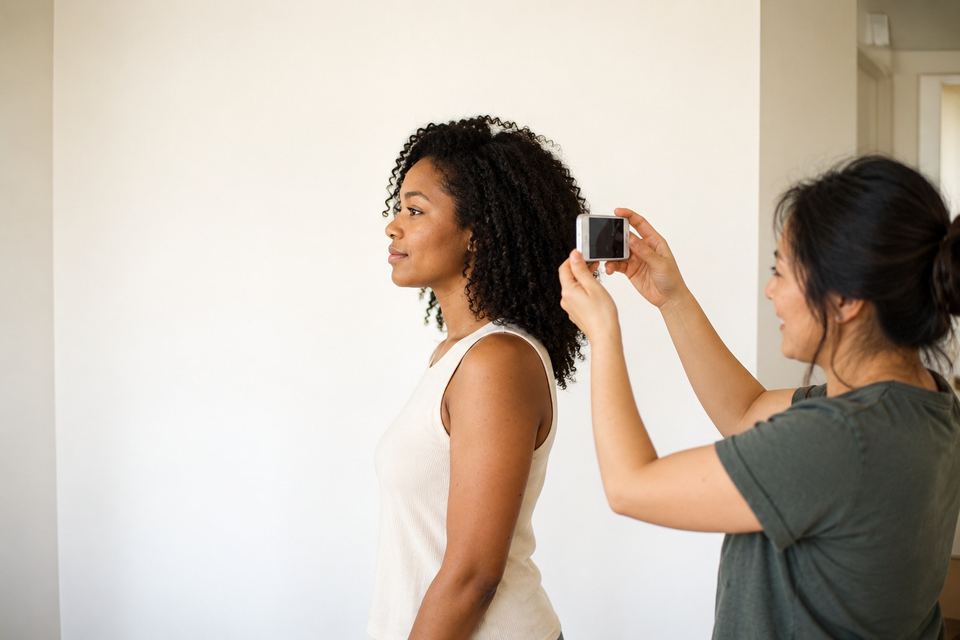
Is a home photo allowed?
Yes. The State Department accepts passport photos taken by a friend, a family member or yourself, as long as the photo meets the rules. There is no requirement to use a store, a booth or a professional photographer.
What matters is the result: the size, the head position, the background, the light and the expression. Those are the same rules a store follows.
What you need
- A phone or camera from the last few years (the back camera is sharper than the front one)
- A plain white or off-white wall, or a white sheet hung flat
- Daylight from a window, or two lamps placed evenly in front of you
- A helper, or something to prop the phone on at eye level
Step by step
-
Pick the wall
Stand about one step in front of a plain white or off-white wall. No pattern, no texture, no picture frames or door edges in the shot. A step away from the wall stops your shadow from landing on it.
-
Face the light
Face a window during the day. The light should hit your face evenly, with no bright spot on one side and no shadow under your nose or chin. Avoid overhead ceiling lights and the camera flash.
-
Set the distance
The camera should be about 4 feet (1.2 m) from your face, at eye level. Holding the phone at arm’s length makes your nose look bigger and your ears smaller. Ask someone to hold it, or prop it on a shelf and use a timer.
-
Get the pose right
Face the camera straight on, head not tilted, shoulders level. Both eyes open, mouth closed. A neutral face is safest; a small, closed-mouth smile is allowed.
-
Take several shots
Take a few and pick the sharpest one. Don’t use portrait mode, filters, beauty modes or any editing: the photo must be the original.
-
Crop to 2 × 2 inches
The finished photo is 2 × 2 inches (51 × 51 mm), with the head, from chin to top of hair, between 1 and 1 3/8 inches (25 to 35 mm) and centred. This is the part most people get wrong when cropping by hand.
-
Print it
Put two or more 2 × 2 photos on a 4×6 sheet and order one 4×6 print at a photo counter, usually for under $1. Turn off any crop or fill option, then cut along the lines. See how to print at a store.
Common mistakes at home
- Shadows on the wall behind you or on one side of your face
- Head too small or too big after cropping by hand
- Selfie distortion from holding the phone too close
- Glasses left on (not allowed since 2016, except for medical reasons with a doctor’s statement)
- Edited photos: filters, smoothing, background removal or AI touch-ups
- Wrong print size because the store print was cropped or zoomed
The easy way: let the owl check it
PassportOwl does the hard parts for you. The owl coaches you live with your phone or webcam (distance, tilt, light, expression) and takes the photo when everything is right. We then crop it to the exact 2 × 2 size, check each official rule, and show you the result before you pay.
You get the photo file and a 4×6 sheet ready to print, and if a passport office rejects it for a photo reason, you get a full refund and a new photo free.
Questions
Can I take my passport photo with my iPhone or Android phone?
Yes. Use the back camera if someone can help, turn off portrait mode and filters, and stand about 4 feet away.
Can I take a selfie for my passport photo?
Holding the phone yourself at arm’s length often distorts the face and tilts the head. Ask someone to take it, or prop the phone up and use a timer.
What colour should the background be?
Plain white or off-white, with no shadows, texture or objects.
How recent must the photo be?
Taken in the last 6 months, and it should look like you do now.
Sources: Passport photos - travel.state.gov . Checked Oct 4, 2026. How we keep rules accurate